Find
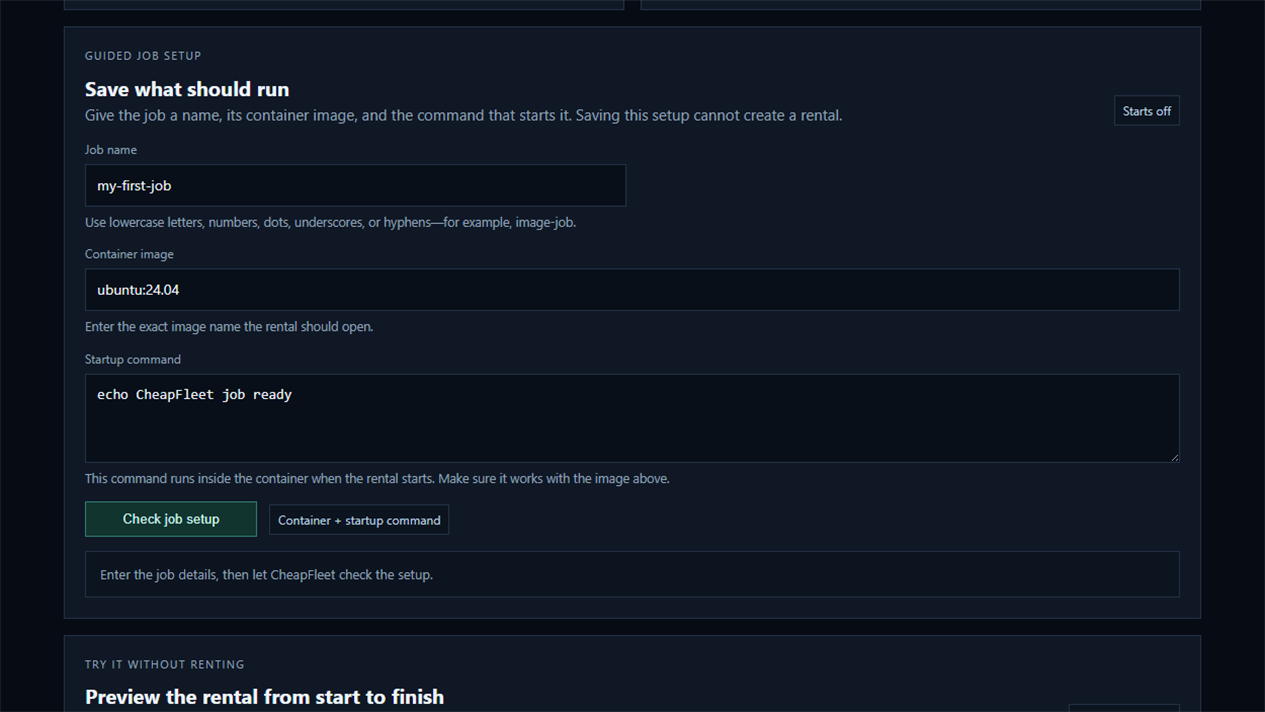
Save what should run, then set your hardware, price, and reliability limits. CheapFleet searches for the lowest-priced matches.
Lower-cost cloud GPU rentals
CheapFleet handles the rental. You decide what runs on it.
Search Vast.ai GPU rentals by hardware, price, and host quality from Windows. Review the exact rental before it starts, then keep its status and deadline in view.
Free software trial: one rental of up to 30 minutes. You pay Vast.ai rental charges.
One-time purchase · No CheapFleet account · No subscription
$4.99 USD plus applicable tax · Windows 10/11 · English only
Vast.ai rentals cost extra. Each rental needs your approval; keep CheapFleet running for monitoring.
Support & refunds · License · Privacy · Regional availability
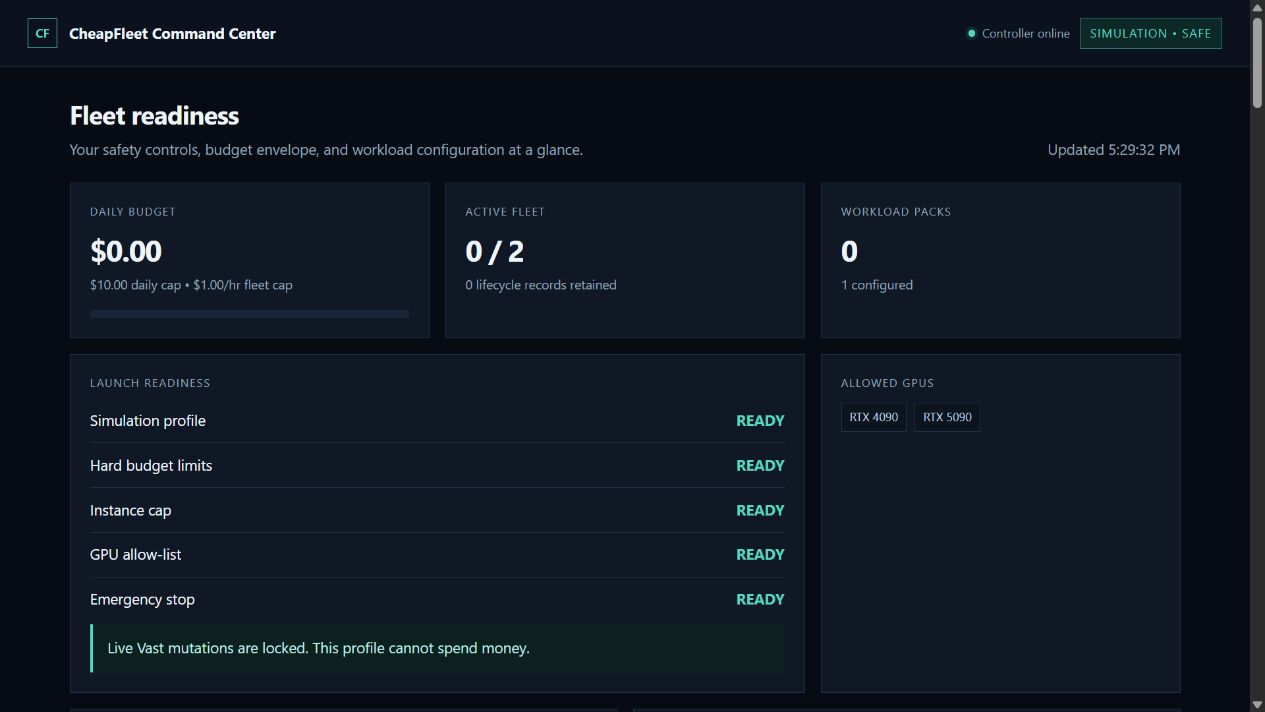 View full-size screenshot ↗
Why CheapFleet exists
Search, approve, monitor, and stop rentals from one Windows app. Save your setup for the next job.
Save what should run, then set your hardware, price, and reliability limits. CheapFleet searches for the lowest-priced matches.
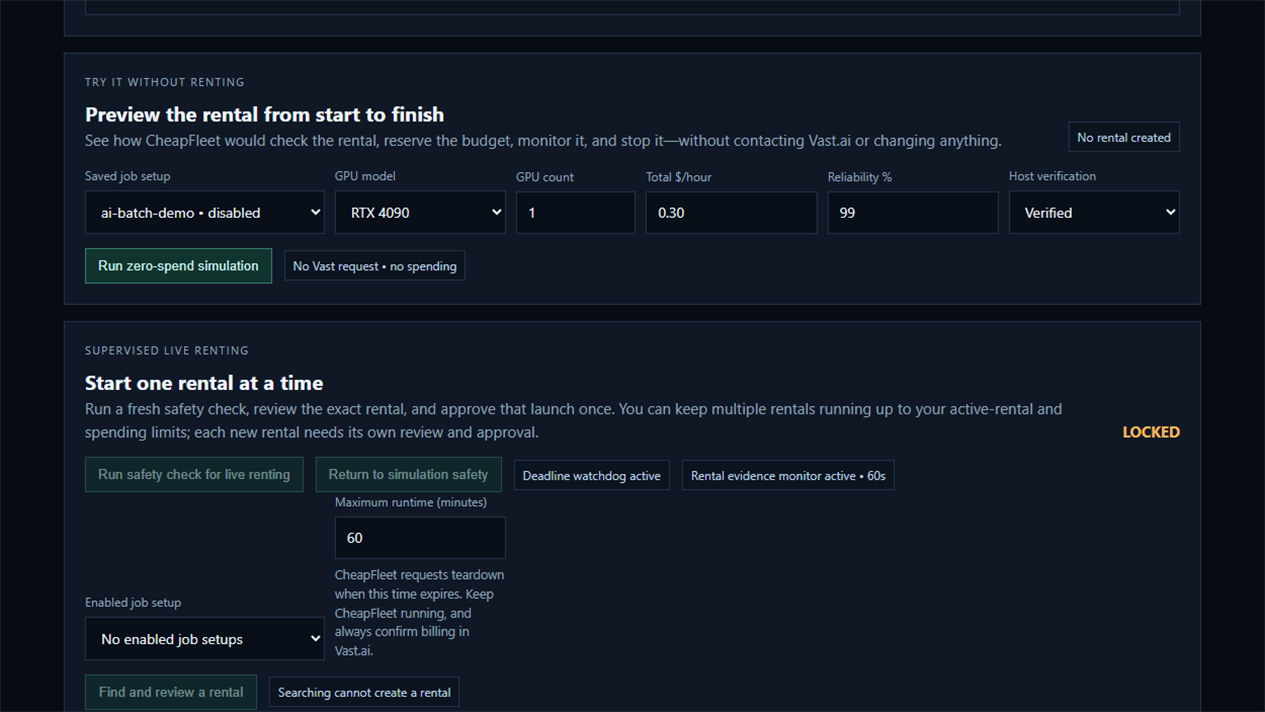
Preview the rental first, review the real price and runtime, then approve the machine you want.
The watchdog follows the rental, its connection, and its deadline while CheapFleet is running.
Retire the rental when the job is done. While CheapFleet is running, its watchdog requests teardown when the approved deadline arrives.
Rental watchdog
CheapFleet keeps track of the machine, its connection, and the rental deadline while the bot is running. If your job can report progress or saves, it can show those too.
The watchdog only reports the information available to it.
What you need
 View full size ↗
 View full size ↗
Getting started
$4.99 USD, plus any applicable tax. No CheapFleet subscription.
Get your copy from the download page after checkout. Keep your receipt for reference.
Follow the included setup guide and explore simulation mode before renting a machine.
See the setup walkthrough →Cloud rentals are paid separately.
Straight answers
It helps you search for cloud GPU rentals, compare the best matches, preview the process, and manage approved rentals from one Windows app.
Yes. The free trial permits one supervised rental of up to 30 minutes, with Vast.ai rental charges paid by you. Simulation remains free. After the trial, buy the full edition for $4.99 USD plus applicable tax. Download the free trial.
Yes. CheapFleet starts in simulation mode, so you can set everything up and walk through the process without creating a rental or spending money.
Yes. You choose the maximum number that may run at once, along with daily and hourly spending limits. Each new rental still requires its own review and approval. Rentals already running in the same provider account count toward the limit, even if they were started outside CheapFleet.
The first release is supervised: you approve each real rental, and CheapFleet watches it while the app is running. Fully automatic continuous renting is not included.
The first release supports Vast.ai. CheapFleet is being designed so other cloud rental platforms can be added later, but no additional platforms are promised yet.
No. CheapFleet is a one-time purchase with no CheapFleet account and no monthly software fee. The license covers perpetual use of the purchased major version; future updates are not guaranteed. Cloud rental charges are paid separately to the rental platform.
The full edition CheapFleet 0.4.0 ZIP has SHA-256 62FD1C0C7349CF911F17B5980E52A75456642E663032CDBAEDE1DFDA944B205B. For the separate trial 0.4.1 download, see the checksum on the trial page. Check that Windows reports a valid digital signature for both the installer and app.
One-time purchase for Windows 10/11, in English. Applicable tax and cloud rental charges are separate. Read the walkthrough before your first rental.